Full guide: from sign-up to your first payout
These pictures are Kaarkun's real screens. Press Listen on any step and your phone reads it aloud.
- 1Step 1
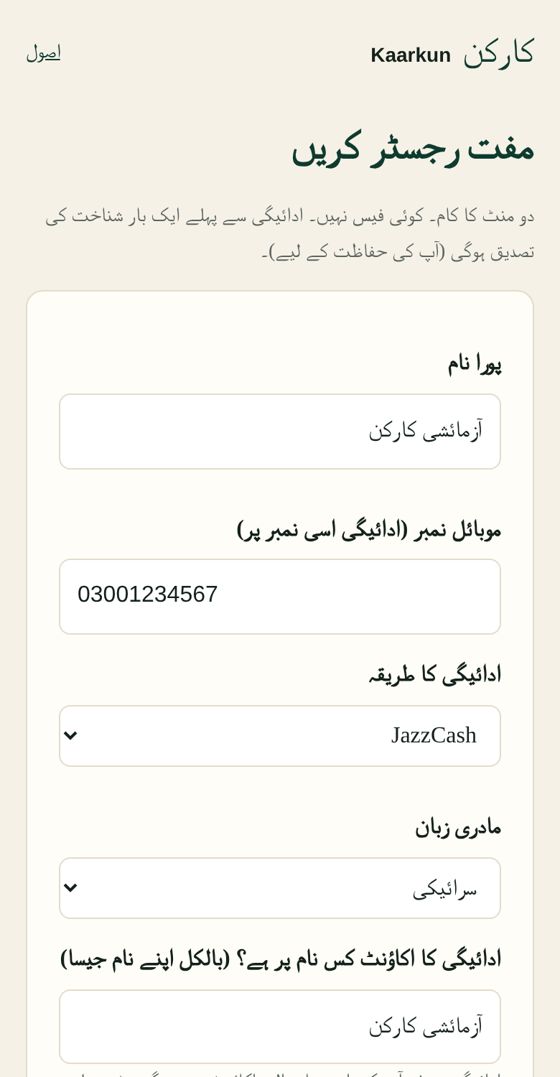
Fill in the registration form
Write your full name exactly as on your CNIC, then your 13-digit CNIC number, mobile number, payment method (JazzCash, Easypaisa, SadaPay, NayaPay or bank) and mother tongue. Under 'account title' write the same name. Remember: CNIC, Kaarkun account and payout account — the same name on all three. Then create a 4-digit secret PIN — never share it.
- 2Step 2
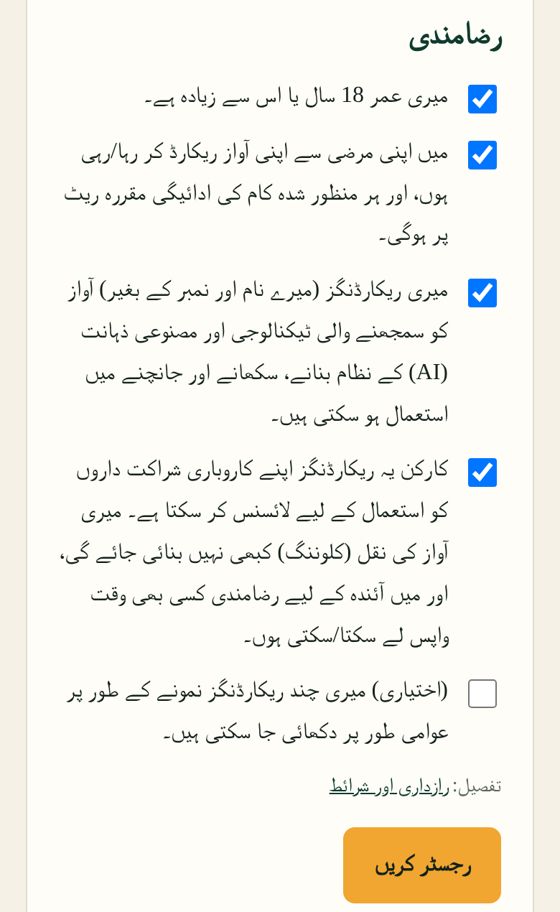
Read the consent and register
Read every box — these are your rights. If you agree, tick them and press Register. No fee.
- 3Step 3
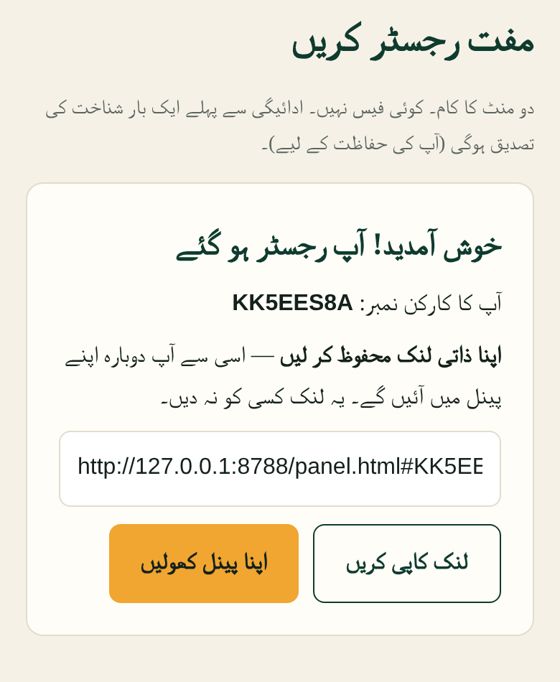
Save your Kaarkun number
You get a Kaarkun number and a personal link. Press 'Copy link' to save it, then 'Open my panel'. Never share this link.
- 4Step 4
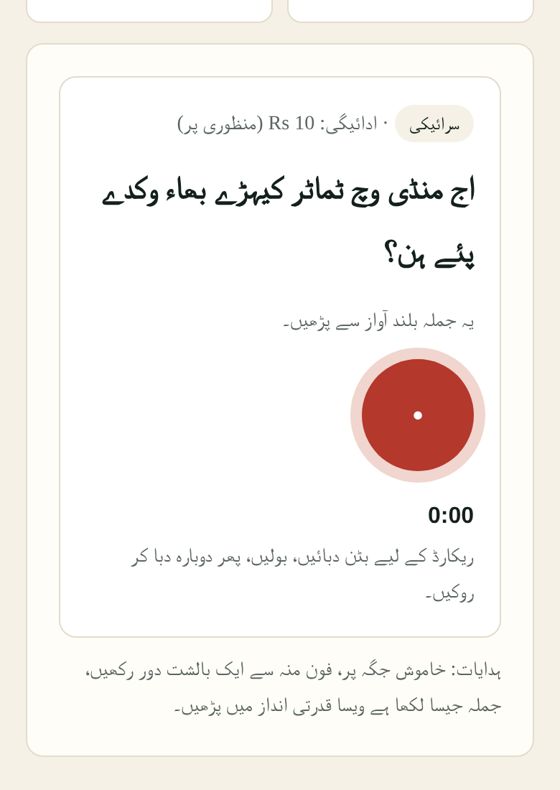
Record a task
The rate is shown at the top. Read the sentence, press the red button, speak clearly and press again to stop. Play it back — send if it's right, re-record if not.
- 5Step 5
Wait for review
Our team usually listens within 3 business days. 'My record' shows each task's status: in review, approved or rejected. If rejected, the reason is shown and you can appeal.
- 6Step 6
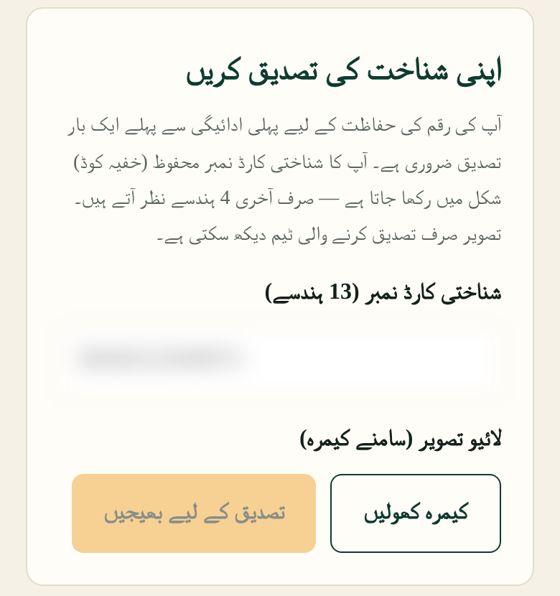
Verify your identity once
Before your first payout, enter your CNIC number and take a live selfie. Only the verification team sees it — so no one can cheat in your name.
- 7Step 7
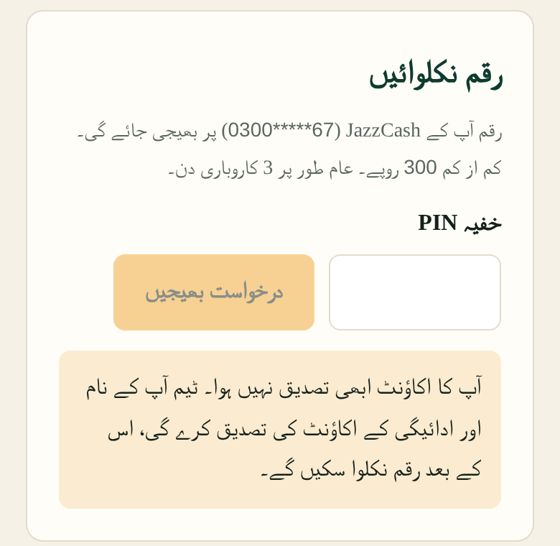
Withdraw
From Rs 300, enter your PIN under 'Earnings & payouts' and send the request. Money goes only to a wallet in your own name.
- 8Step 8
Get help
Your panel has a Help button — write your problem and the team will reply. Or email [email protected].
Start today
Places are limited in the first phase. If they're full, your name is saved on the waiting list.